
Migration to vBroadcast for Godaddy Users
Set custom nameservers for domains registered with GoDaddy
If your domain name is registered with GoDaddy but hosted through another company (or on a server you control), you’ll need to change its nameservers. What those are, we don’t know! You’ll have to talk to your hosting provider or admin to find out what your custom nameservers should be, and then you can easily set them.
- Log in to your GoDaddy account.
- Next to Domains, click Manage.
How you set your custom nameservers will depend on the view of your account.
Card View
In Card View, your account will look something like this:
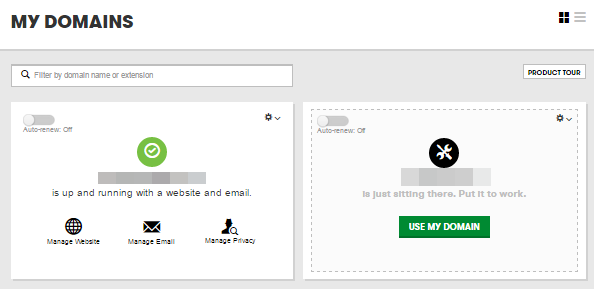
- Select the domain name you want to use, click
 (Settings) and select Manage DNS.
 - Under Nameservers, click Change.
- Under Choose your new nameserver type, select Custom.
- Enter the custom nameservers your hosting provider gave you and click Save.
List View
In List View, your account will look something like this:
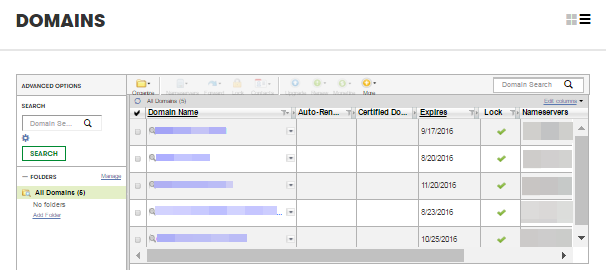
- Select the domain names you want to modify.
- From the Nameservers menu, select Set Nameservers.
- Under Setup type, select Custom.
- Click Enter custom nameservers.
- Enter the custom nameservers your hosting provider gave you and click OK.
After updating your nameservers, allow 4 to 8 hours for other networks to access information for .com and .net domain names, and allow 24 to 48 hours for other networks to access information for all other domain extensions. If you have difficulty, contact our 24/7 technical support team for assistance.
More info
- Learn about Custom Nameserver Restrictions on .com, .net and .edu extensions.
